Farol Voice Hold a key, talk, and your words appear in any app. It all runs on your Mac.
Apple silicon, macOS 15+. Free and open source.
Works everywhere
Your editor, your terminal, Slack, a browser. It types wherever your cursor is, and puts your clipboard back afterwards.
Stays on your Mac
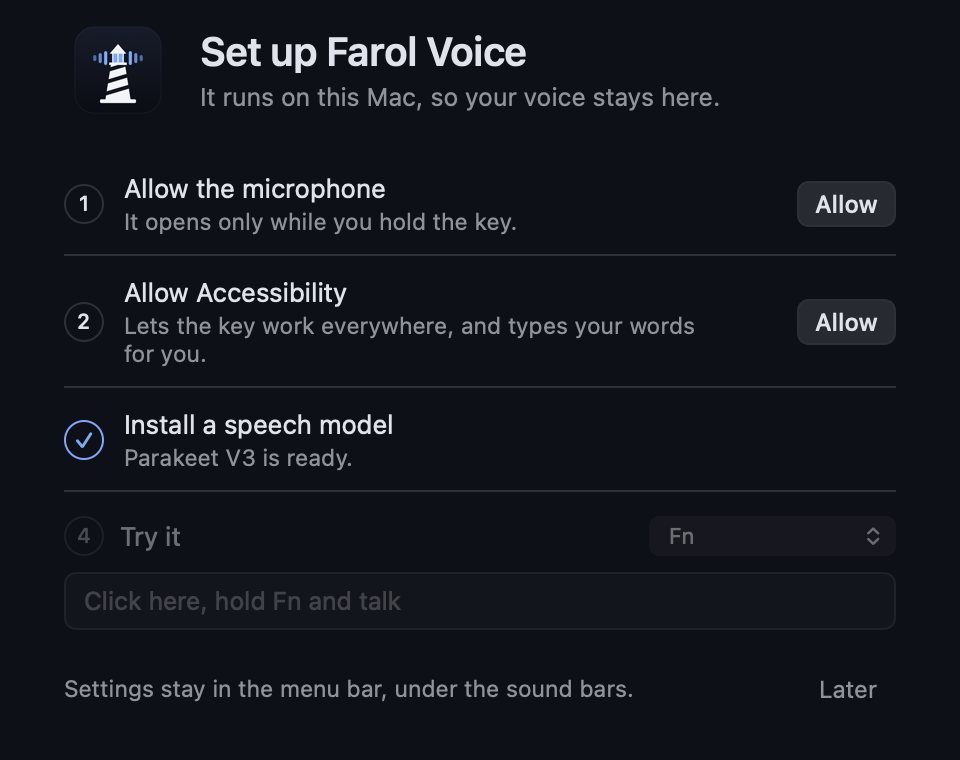
Speech runs on your own machine. Audio is never sent anywhere or saved, and once a model is installed it needs no network.
No account, no subscription
Free and open source under the MIT license. Install it, allow two permissions and start talking.
Your choice of model
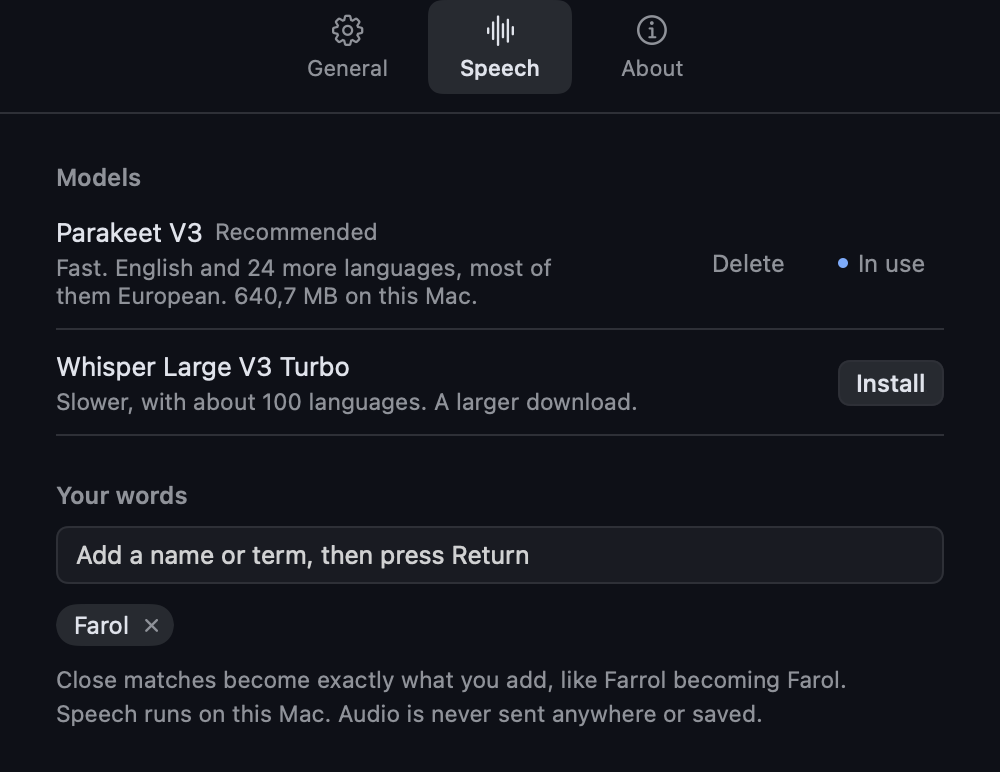
Parakeet for speed in English and 24 more languages, or Whisper for about 100 languages. Install, switch and delete them yourself.
Gets your words right
Add the names and terms you use, and close matches become exactly what you wrote.
Careful with your words
It won't type into a password field. Switch apps while it's working, and the text goes to your clipboard instead of the wrong window.
Where it's going
Dictation is the first step. Next, it's becoming a voice assistant for Farol, the terminal for coding agents: switch sessions, talk to your agents and hear them answer. Follow along on the roadmap.
Questions
Is it really free?
Yes. It's open source under the MIT license, with no account or subscription.
Does my voice leave my Mac?
No. Speech is turned into text on your Mac, and audio is never sent anywhere or saved. The app only goes online to download a model you choose to install, and to check for its own updates.
Why does it need Accessibility access?
macOS requires it for two things: noticing your key while you're in another app, and typing your words for you. It only looks for the key you chose, and doesn't record or store what you type. The code is open if you'd like to read it.
Which languages does it understand?
Parakeet V3 covers English and 24 more languages, most of them European. Whisper covers about 100.
What do I need to run it?
A Mac with Apple silicon and macOS 15 or later, and about 600 MB of disk space for the Parakeet model.
Do I need Farol to use it?
No. It works on its own in any app. Farol is a separate terminal for coding agents, and working together with it is what's coming next.